
Indie Gems app icon

Get the App

Add Indie Gems to your home screen — no app store needed

Five taps. Takes 10 seconds.

iPhone

You need to use Safari for this — it won't work from Chrome or other browsers on iPhone.
1
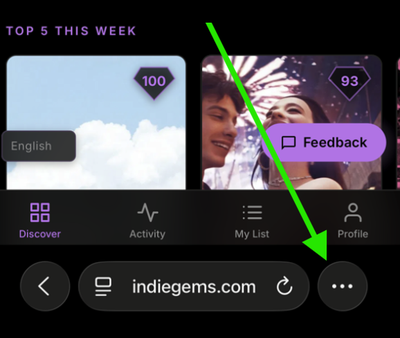
Open Safari and go to indiegems.com. Tap the three dots at the bottom-right of your screen.
Tap the share button in Safari
2
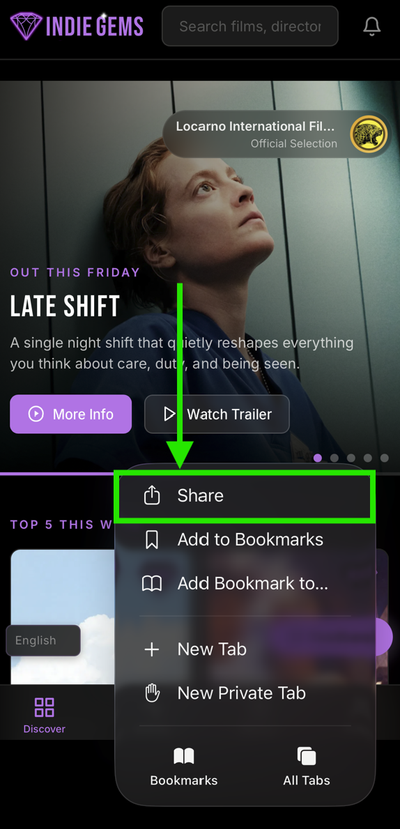
Tap Share from the menu that appears.
Tap Share
3
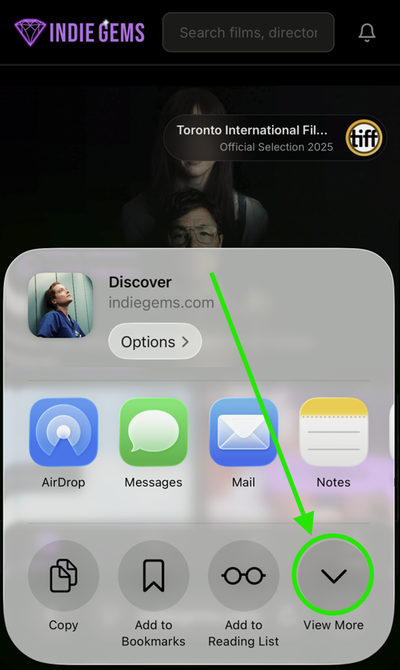
In the share sheet, tap View More to see more options.
Scroll down in share sheet
4
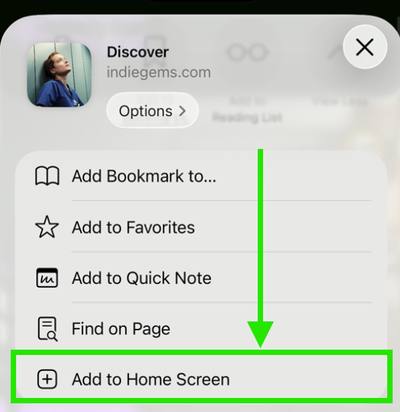
Tap Add to Home Screen.
Tap Add to Home Screen
5
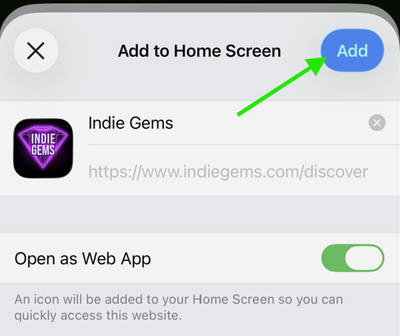
Tap Add in the top right corner.
Tap Add to confirm

🎉 You're done! The Indie Gems icon will appear on your home screen. Tap it to open the app.
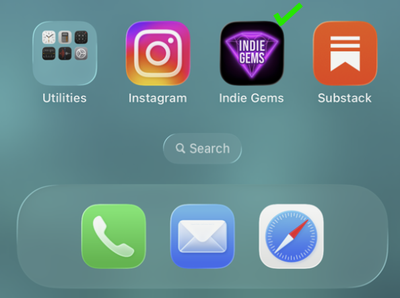
Indie Gems on your home screen

Android

1
Open Chrome and go to indiegems.com
2
You may see an Install app banner at the bottom — tap it and you're done! If not, continue to step 3.
3
Tap the three-dot menu in the top right corner of Chrome
4
Tap Add to Home screen or Install app
5
Tap Install to confirm

🎉 You're done! The Indie Gems icon will appear on your home screen. Tap it to open the app.

Create Your Free Account

The best films you've never seen.

← Back to Indie Gems